Plan, Execute, Adapt
Four reasoning strategies orchestrate how your agent thinks. It breaks tasks into steps, works through each one, and self-corrects when something fails.
Tell it what you need and it builds the agent for you. Or browse ready-made agents on InitHub, import from PydanticAI or LangChain, or write your own YAML.
4,700+ tests · 27 built-in tool types · 12+ LLM providers · MIT licensed
curl -fsSL https://initrunner.ai/install.sh | shOne command. Works on Linux, macOS, and WSL.
Pick a provider, save your API key. Run this once.
Start a conversation. No config files needed.
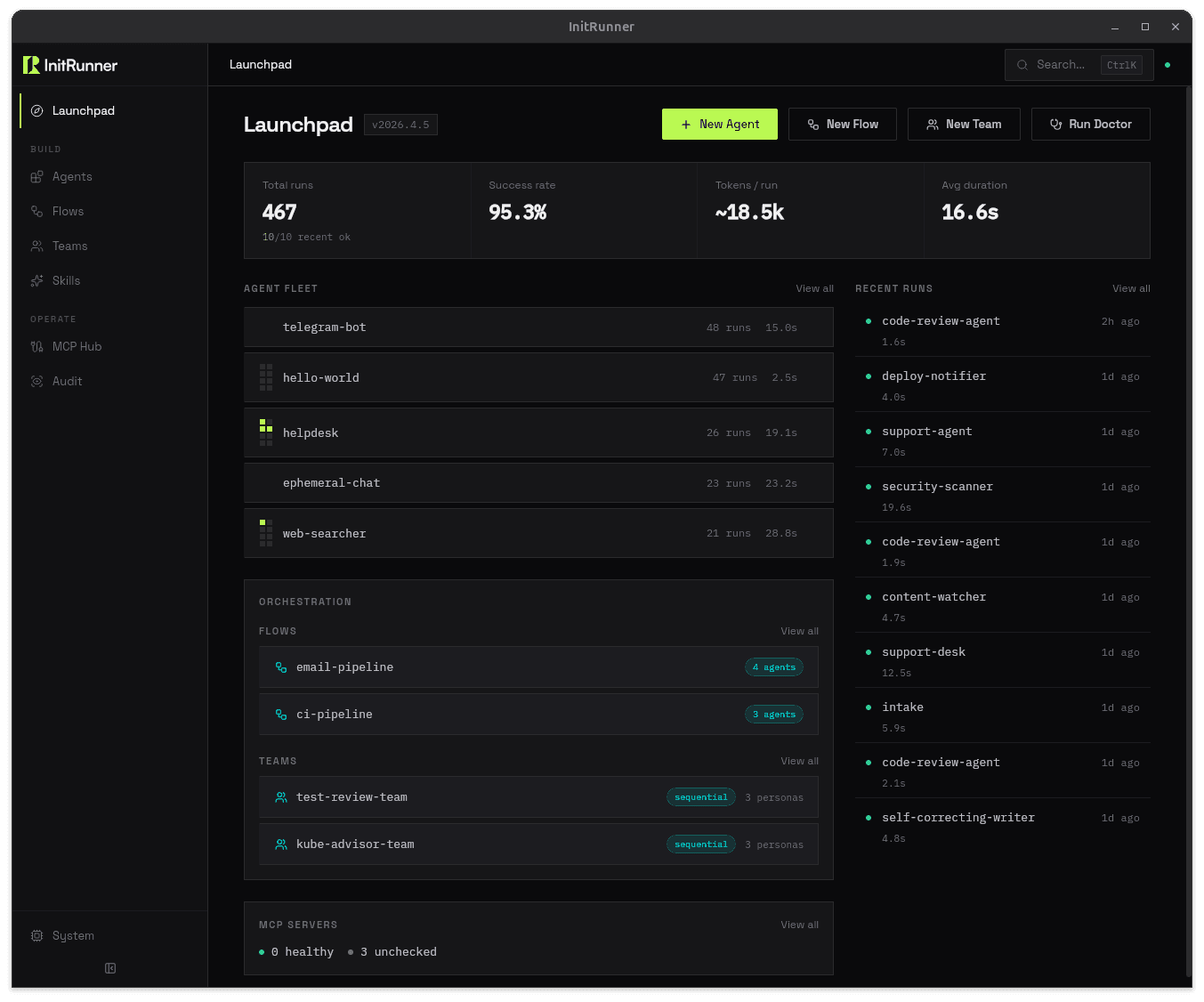
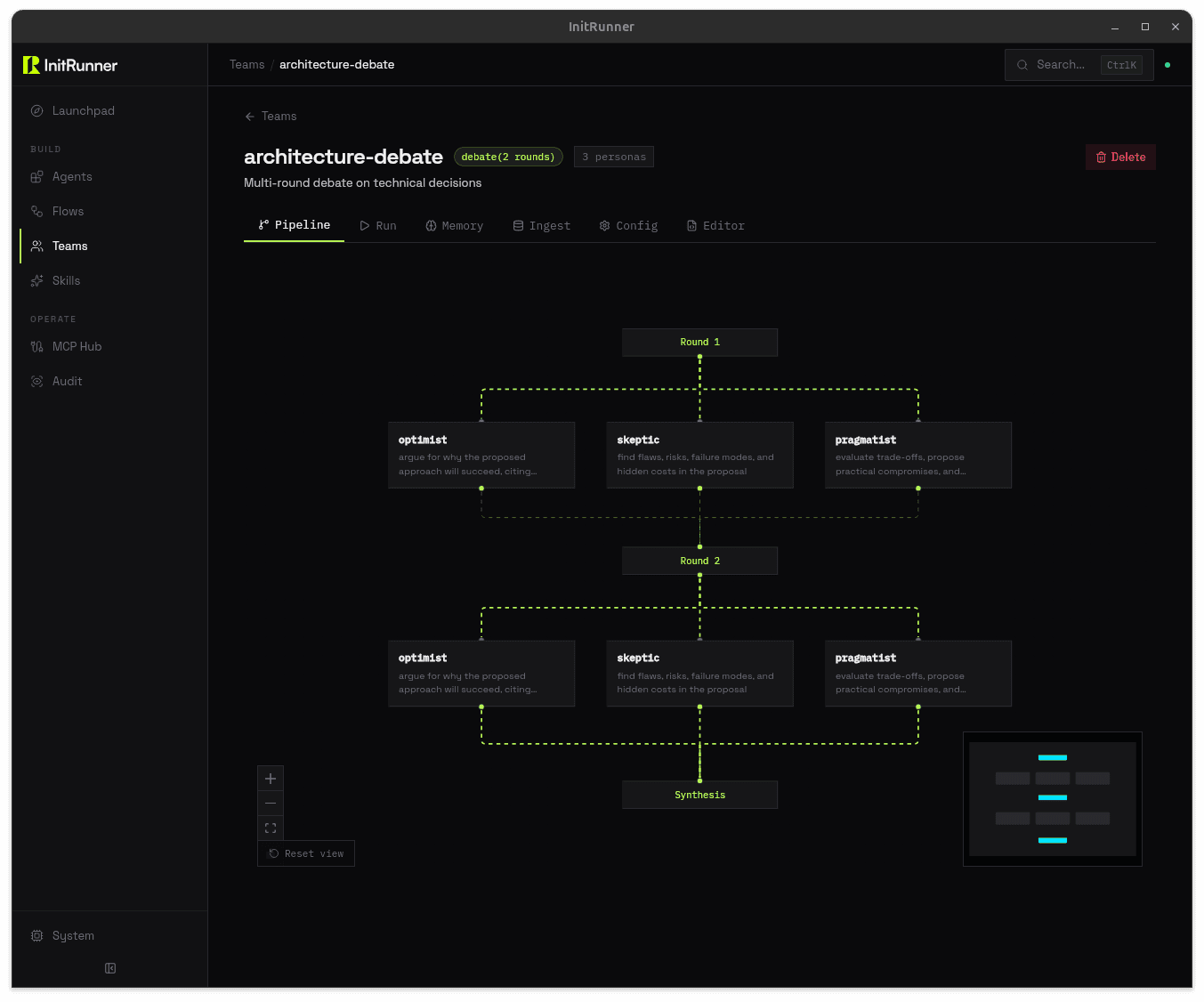
A built-in dashboard for managing agents, building flow pipelines visually, and monitoring runs. Browser or native window.


kind: Agent
name: code-reviewer
role: >
You review pull requests for bugs,
style issues, and security flaws.
model:
provider: openai
name: gpt-5-mini
tools:
- type: git
permissions: [read]
- type: filesystem
root_path: ./repo$ initrunner run agent.yaml
[init] Loading agent: code-reviewer
[init] Provider: openai / gpt-5-mini
[init] Tools: github, filesystem
[run] Agent ready. Awaiting input...
> Review PR #42 for security issues
[tool] github → fetched PR #42 (3 files changed)
[tool] read_file → src/auth.ts
[done] Review posted. 2 issues found.Give your agent a task and walk away. It plans the work, runs each step, adapts when something fails, and tells you when it's done. Add --autopilot to run the full loop on every trigger, including Telegram and Discord.
$ initrunner run researcher.yaml -a \
-p "Compare top 3 vector databases for production RAG"
[init] Agent: researcher
[init] Strategy: plan_execute
[init] Budget: 10 iterations, 50k tokens
[plan] PHASE 1 — Creating plan...
[todo] + Compare feature sets [pending]
[todo] + Benchmark performance [pending]
[todo] + Evaluate pricing [pending]
[todo] + Write summary report [pending]
[plan] finalize_plan() — 4 items locked
[exec] PHASE 2 — Working...
[todo] ✓ Compare feature sets [completed]
[todo] ✓ Benchmark performance [completed]
[budget] 5/10 iter · 21,400/50,000 tokens
[todo] ✓ Evaluate pricing [completed]
[todo] ✓ Write summary report [completed]
[done] finish_task(completed) — Report saved to ./output/comparison.md$ initrunner run assistant.yaml --autopilot
[daemon] Autopilot — agent: assistant
[daemon] Triggers: telegram, cron (all autonomous)
[telegram] @alice: "Research quantum error correction breakthroughs"
[init] Strategy: plan_execute
[exec] Working... 4 steps
[done] finish_task(completed) — Reply sent to @aliceFour reasoning strategies orchestrate how your agent thinks. It breaks tasks into steps, works through each one, and self-corrects when something fails.
Agents see their remaining tokens, iterations, and wall-clock time at every turn. They finish the job before hitting a limit.
Run with --autopilot and every trigger fires the full autonomous loop. Telegram messages, Discord pings, cron jobs, webhooks. Your agent thinks before it replies.
Run initrunner new with a description and it writes the config for you. Start from a template, import existing agents, or write every field by hand. No framework to learn, just a file you can check into git.
Every input, tool call, and output is written to an immutable SQLite log. Plug in OpenTelemetry for distributed tracing in production. Full auditability, no setup required.
Run on Anthropic today, switch to OpenAI tomorrow. Run initrunner configure or change one line in your YAML. No vendor lock-in.
Wire up cron schedules, file watchers, webhooks, or Telegram and Discord bots. Your agents run unattended: on a timer, on file changes, or in a chat.
27 built-in tool types: filesystem, HTTP, MCP, shell, git, search, and more. Or write a Python function and plug it in. Cherry-pick with --tools or enable everything with --tool-profile all.
Attach images, audio, video, or documents to any prompt. Vision, transcription, and document parsing work across CLI, API, and dashboard. Use --attach or add attachments in YAML.
RAG, memory, 27 tool types, an OpenAI-compatible API server, and a live dashboard. Configure in YAML, or try the CLI flags for a quick start.
Run initrunner run --serve and your agent becomes an OpenAI-compatible API. /v1/chat/completions with streaming, auth, and multi-turn conversations. Plug it into any OpenAI SDK, chat UI, or internal tool.
One command. OpenAI-compatible. Zero config.
$ initrunner run agent.yaml --serve --port 8000
[serve] Agent: research-assistant
[serve] Endpoint: /v1/chat/completions
[serve] Auth: Bearer token ✓
[serve] Streaming: enabled ✓
[serve] Listening on http://0.0.0.0:8000A guardrails: block sets per-run token caps, session budgets, and daily or lifetime daemon budgets in YAML. Agents warn at 80 % of a limit and stop at 100 %. No surprise bills from runaway loops. Add content policies for PII redaction, or initguard for CEL-based access control.
Per-run caps. Daily budgets. Automatic enforcement.
guardrails:
max_tokens_per_run: 10000
max_tool_calls: 15
session_token_budget: 100000
daemon_token_budget: 500000
daemon_daily_token_budget: 100000
# Agents stop at the limit. Warn at 80%.
# No surprise bills from runaway loops.Point at a folder of markdown, PDFs, or CSVs. InitRunner chunks, embeds, and indexes them automatically. Your agent gets search_documents() as a tool: semantic search over your own knowledge base, with source citations. No vector database to manage. No embedding pipeline to wire up. For a quick start, initrunner run --ingest ./docs/ gives you the same RAG pipeline from a single CLI flag.
One CLI flag or three lines of YAML. Semantic search over your own docs.
# CLI — zero-config RAG
$ initrunner run --ingest ./docs/
# YAML — full control
ingest:
sources:
- "./docs/**/*.md"
- "./reports/*.pdf"
chunking:
strategy: paragraph
chunk_size: 512Session persistence picks up where you left off. Three memory types (semantic, episodic, and procedural) let agents remember() facts, record_episode() outcomes, and learn_procedure() policies. A consolidation pass rolls up episodic records into durable knowledge. Your support agent remembers the customer’s last issue. Your research agent builds on yesterday’s findings. In ephemeral mode, memory is on by default. Use --resume to pick up where you left off.
Three memory types. Auto-consolidation. On by default in ephemeral mode.
# CLI — memory on by default
$ initrunner run
$ initrunner run --resume
$ initrunner run --no-memory
# YAML — full control
memory:
semantic:
max_memories: 1000
episodic:
max_episodes: 500
procedural:
max_procedures: 100
consolidation:
enabled: true
interval: after_sessionBundle tools and prompt instructions into a single SKILL.md file. YAML frontmatter for tools and requirements, Markdown body for the prompt. Drop it in a well-known directory and agents auto-discover it, or reference it explicitly. Prompts stay lean: agents load a skill with activate_skill only when they need it.
One SKILL.md. Auto-discovered or explicit. Every agent gets it.
---
name: web-research
tools:
- type: web_reader
- type: filesystem
root_path: ./output
requires:
env: [SEARCH_API_KEY]
---
You are a web research specialist.
Search the web, extract key findings,
and save structured summaries to ./output.
Always cite your sources.Describe your task. InitRunner finds the right agent from your library and runs it. That's --sense. In flow pipelines, set strategy: sense on a delegate sink and each message routes to the best-matching agent.
CLI or flow. The right agent finds itself.
$ initrunner run --sense -p "analyze this CSV and find trends"
[sense] Scanning ./roles/, ~/.initrunner/roles/
[sense] Scored 4 candidates
[sense] Selected: csv-analyst (score 0.87, gap +0.41)
Agent: csv-analyst
Running...
# Same scoring in flow pipelines:
# sink:
# type: delegate
# strategy: sense
# target: [researcher, responder, escalator]Switch providers with a one-line config change. No code rewrites, no SDK migrations.